
TerraScan User Guide
Find Track Side Slopes
 Find track side slopes tool is used for the semi-automatic detection of the ballast top breaklines along a railroad track. The process requires a helping line.
The detection process starts from classified laser points representing the track corridor, and an alignment element defining the XY route of the railroad track. Multiple alignment elements can be used for search in separate sections.
The tool creates the output elements where suitable slope change is present in the point cloud within the specified offset from the alignment element. In areas with no slope change the line elements are cut to separate parts.
This tool is designed for monitoring the railroad ballast. Extracting the ballast shoulder and the tracks allows evaluating the offset between the two lines to identify locations where the ballast has eroded and more ballast is needed for secure support of the railroad sleepers.
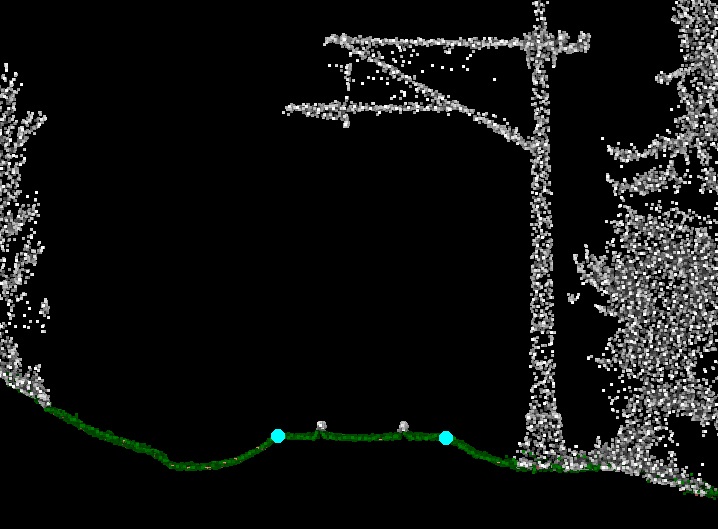
Section showing the result in cyan |
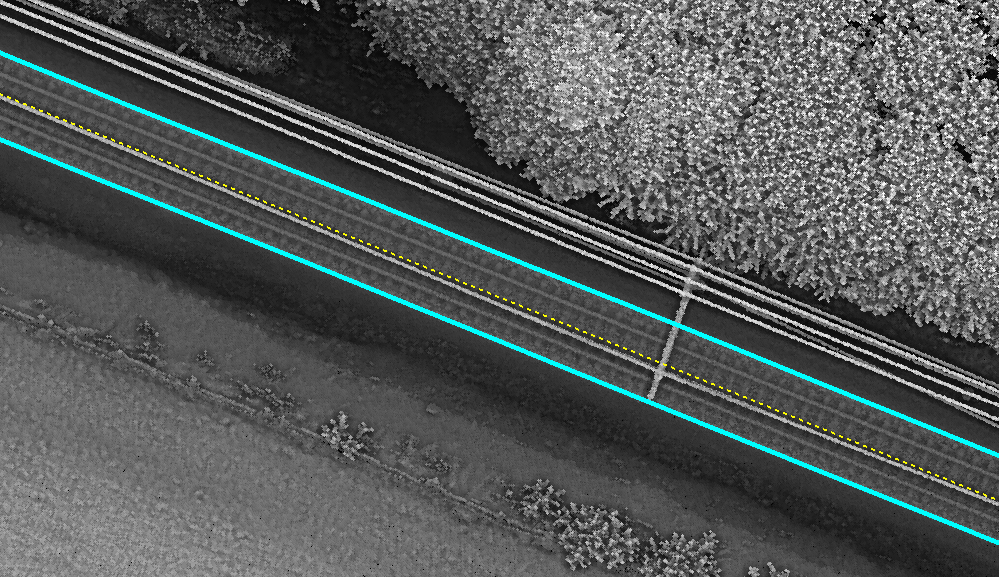
Top view showing the result in cyan and alignment in yellow |
To detect track side slopes:
1. Load points into TerraScan. Only ground level points are required.
2. Select an alignment element(s) with any Selection tool.
3. Select Find Track Side Slopes tool.
This opens the Find Track Side Slopes dialog:
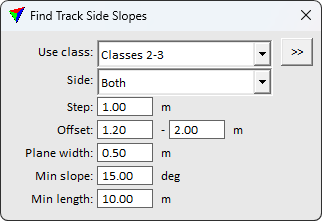
4. Define settings.
5. Accept the selected alignment element with a data click inside a view.
This starts the detection process. The software draws line strings wherever it is able to find the breakline in the laser data. The level, color, line weight, and line style of the lines are determined by the active level and symbology settings of the CAD file. After finishing the process the application reports the number of extracted elements.
SETTING |
EFFECT |
|---|---|
Use class |
Point class(es) containing ground level points. Used for searching the ballast breakline. The list contains the active classes in TerraScan. |
|
Opens the Select classes dialog which contains the list of active classes in TerraScan. You can select multiple source classes from the list that are then used in the Use class field. |
Side |
Target side referring to the alignment: •Both - breakline search on both sides of the alignment. •Left - breakline search on left side of the alignment. •Right - breakline search on right side of the alignment. |
Step |
The density of the element extraction. Use smaller value for more detailed result, but bigger value for faster process. |
Offset |
Horizontal offset from the alignment to the breakline position. |
Plane width |
Required surface width on both sides of the breakline. Use larger value for more reliable results. |
Min slope |
Required slope angle. The result extraction is omitted when the slope angle is lower |
Min length |
Minimum continuous breakline length required. Shorter extraction results are discarded. Use to filter low quality findings. |

You can undo the detection of track side slopes by using the Undo command of the CAD platform.