

TerraMatch User Guide
Move position
Move position command modifies tie line xyz. This command requires existing tie lines.
To move tie line position:
1.Select tie line from Tie Lines window that you want to move.
2.Select Move position command from Position pulldown menu
This opens the Move position dialog:
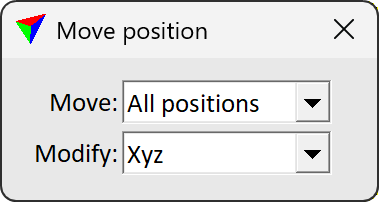
Setting |
Effect |
|---|---|
Move |
•All positions - moves all positions of the selected point. •Selected position - moves only the selected position of the selected point. |
Modify |
•Xyz - moving modifies x, y and z values. •Xy - moving modifies x and y values. •Z - moving modifies only z value. |
3.Click origin position i.e. the current position.
4.Click again to define the new position relative to the origin point. You should see the position change in detail view.